What the Converter Does Beyond Format Conversion
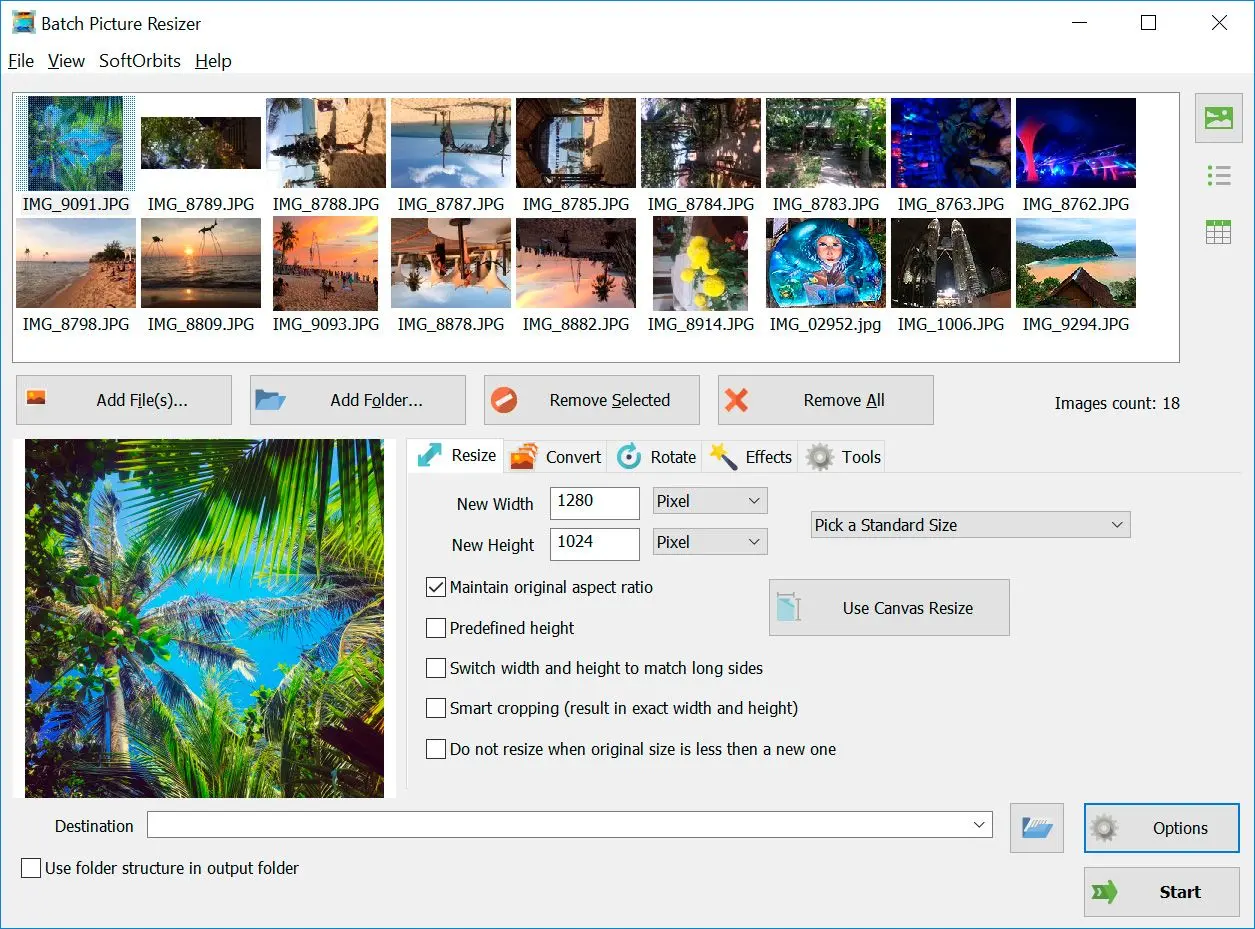
Batch Picture Resizer is not just a raw file converter to JPG. It handles a stack of image tasks in one queue:
- 40+ RAW formats from Canon, Nikon, Sony, Fuji, Olympus, Panasonic, Pentax, Leica, Hasselblad, and others
- Batch resize set target pixels, percentage, or print dimensions (cm/inches with DPI)
- Smart crop cut to exact dimensions without manual selection
- Auto-rotate reads EXIF orientation and fixes it with lossless JPEG rotation
- Watermark add text or a logo image to every file in the batch
- Color correction auto-levels, grayscale conversion, contrast adjustment
- Rename prefix, suffix, sequential numbering, or date-based naming
- Command line mode script conversions from a .bat file or a scheduler, no GUI needed
- Folder structure preserved output mirrors the source tree, handy for organized libraries
- EXIF preserved camera data travels from the RAW into the exported JPEG
Batch RAW to JPG Conversion: When It Matters
Single-file conversion is fine for one or two test shots. In practice, photographers come back with hundreds of files and need them all converted before uploading to a gallery, handing off to a client, or printing. A batch raw to JPG converter for PC makes that practical:
- Wedding and event photographers who deliver 500-2,000 images per job
- Real estate agents who shoot every room in RAW for latitude, then need JPEGs for the MLS listing
- Product photographers who run a studio set and export to an e-commerce platform
- Hobbyists who shoot RAW because their camera defaults to it, then want something every phone and tablet can open
Batch Picture Resizer processes the entire folder in one run. You set format, quality, size, and output path once, then walk away.
Supported RAW Formats
The program reads unprocessed sensor data from more than 40 RAW container types. Every format below is decoded locally; nothing is sent to a server.
Whether it is Canon CR2, Nikon NEF, Adobe DNG, Sony ARW, or Fuji RAF, the decoder extracts full-resolution data and hands it to the JPEG encoder. Less common containers like MOS, KDC, and 3FR work the same way.
| Format | Extension(s) | Producer | Description |
|---|
| TIFF/EP | .3fr, .ari, .arw, ... | ISO | Defines a basic framework for storing raw and processed images in TIFF. |
| Digital Negative (DNG) | .dng | Adobe, Apple | Extension of TIFF/EP, adding information on camera characteristics. Royalty-free. |
| Canon Raw v2 (CR2) | .cr2 | Canon | Based on TIFF and lossless Jpeg ITU-T81. |
| Canon Raw v3 (CR3) | .cr3 | Canon | Uses the ISO base media file format container with custom tags and a custom crx codec. |
| Sony RAW (SRF, SR2, ARW and ARQ) | .srf, .sr2, .arw, .arq | Sony | Based on TIFF container, uses proprietary Makernote fields. May be uncompressed, proprietary lossy-compressed, or Jpeg lossless compressed depending on version. |
| Nikon Electronic Format (NEF) | .nef | Nikon | RAW format used by Nikon cameras, stores information sensed according to the geometry of the sensor's individual photo-receptive elements. |
| Pentax Electronic File (PEF) | .pef | Pentax | RAW format preserving information captured at the time of exposure, used by Pentax cameras. |
| Olympus Raw File (ORF) | .orf | Olympus | Raw format capturing radiometric characteristics of the scene, compatible with TIFF/EP and Exif metadata. |
| Panasonic Raw (RW2) | .rw2 | Panasonic | Raw format with corrections for geometric distortion and chromatic aberration, based on the Tag Image File Format (TIFF). |
RAW to JPG Conversion Settings That Affect Quality
JPG is a lossy format. Every time you re-compress a JPEG the file loses a bit of data. So the settings you pick during the first export from RAW matter.
Quality slider (compression ratio)
At 100 the file is large but visually indistinguishable from the RAW preview. At 85 you get files roughly a third of that size with minor detail loss in gradients and fine textures. Below 70, compression artifacts start to show. For most work 90-95 is the practical sweet spot.
Resolution and resizing
If the destination is web or email, resize to the needed dimensions during conversion and skip a separate step. Batch Picture Resizer lets you set pixels, percentage, or physical size in centimeters with a target DPI. The aspect ratio lock prevents distortion.
Color profile
RAW files often carry a camera-specific color profile. The converter preserves embedded profiles when writing JPEG so colors stay consistent between the camera preview and the exported file.
EXIF and metadata
By default, EXIF data (camera model, lens, exposure, GPS) travels into the JPEG. If you need to strip location data before posting online, you can choose to discard metadata during the export.
Free Download vs. Paid License
The installer you download from the button above is the full program - no feature-locked trial. You can convert files and test every tool. After the evaluation period, a one-time license at $29.99 unlocks permanent use. There is no subscription, no credit system, no per-image fee. Updates within the major version are free.
RAW to JPG Converter: Desktop Software vs Online
Browser-based converters are fine for one or two shots. They start to hurt the moment you have a full memory card or a slow connection. A desktop raw to JPG converter keeps every file on your own PC and runs at the speed of your processor, not your upload.
- Online tools upload your originals to a remote server. The desktop app keeps every RAW file on your PC and works fully offline.
- Web converters cap the file count or size. The desktop app runs whole folders and memory cards in one pass.
- Online speed is tied to your internet upload. Desktop speed is tied to your CPU, with no upload wait and no queue.
- Full-resolution RAW files are large and often client work. Keeping them off third-party servers avoids the privacy question entirely.
If you shoot a single brand, the same offline workflow covers a dedicated
Canon CR2 to JPG converter or a
Nikon NEF converter without changing a single setting.
Does the RAW to JPG Converter Work Offline?
Yes. The program decodes every RAW container on your own machine, so nothing is uploaded and no internet connection is needed after the download. That matters for two reasons: full-resolution RAW files are heavy to upload, and paid client shoots should not pass through a server you do not control. You can run it on a laptop with no signal, on a locked-down work PC, or straight from a card reader in the field.
 Batch Picture Resizer